神代綺凛

[开源] 二次元搜图QQ机器人
因酷Q停止运营,本项目已转为依赖 go-cqhttp R.I.P. CoolQ
扫描右侧二维码阅读全文
13
2018/07

[开源] 二次元搜图QQ机器人

因酷Q停止运营,本项目已转为依赖 go-cqhttp

R.I.P. CoolQ

Head Pic: 「第六駆逐隊」/「ふわり」のイラスト [pixiv]

搜图机器人

QQ:*

抱歉,因各种复杂的原因,本体已经转为私用,现已不再公开允许加好友或群,有兴趣可自行部署玩耍

开源

项目最初是使用酷Q的易语言 SDK 开发,后使用 Node.js 重写并开源

开源版本不含咬人功能,因为懒得移植了……

用法及功能

请见 GitHub README 以及 wiki

示例

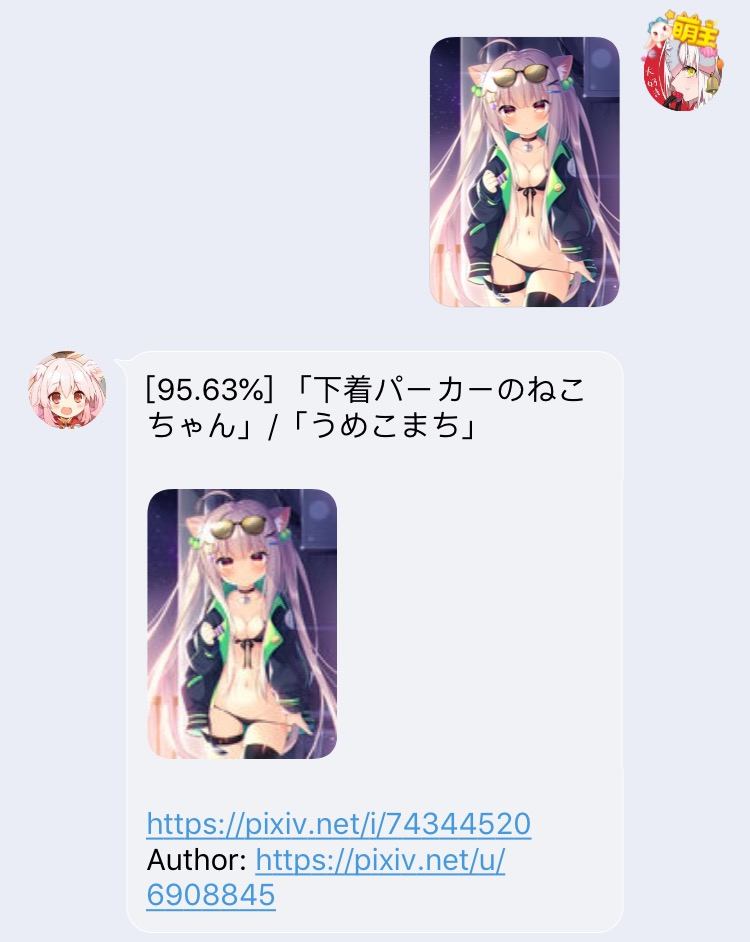
普通搜图
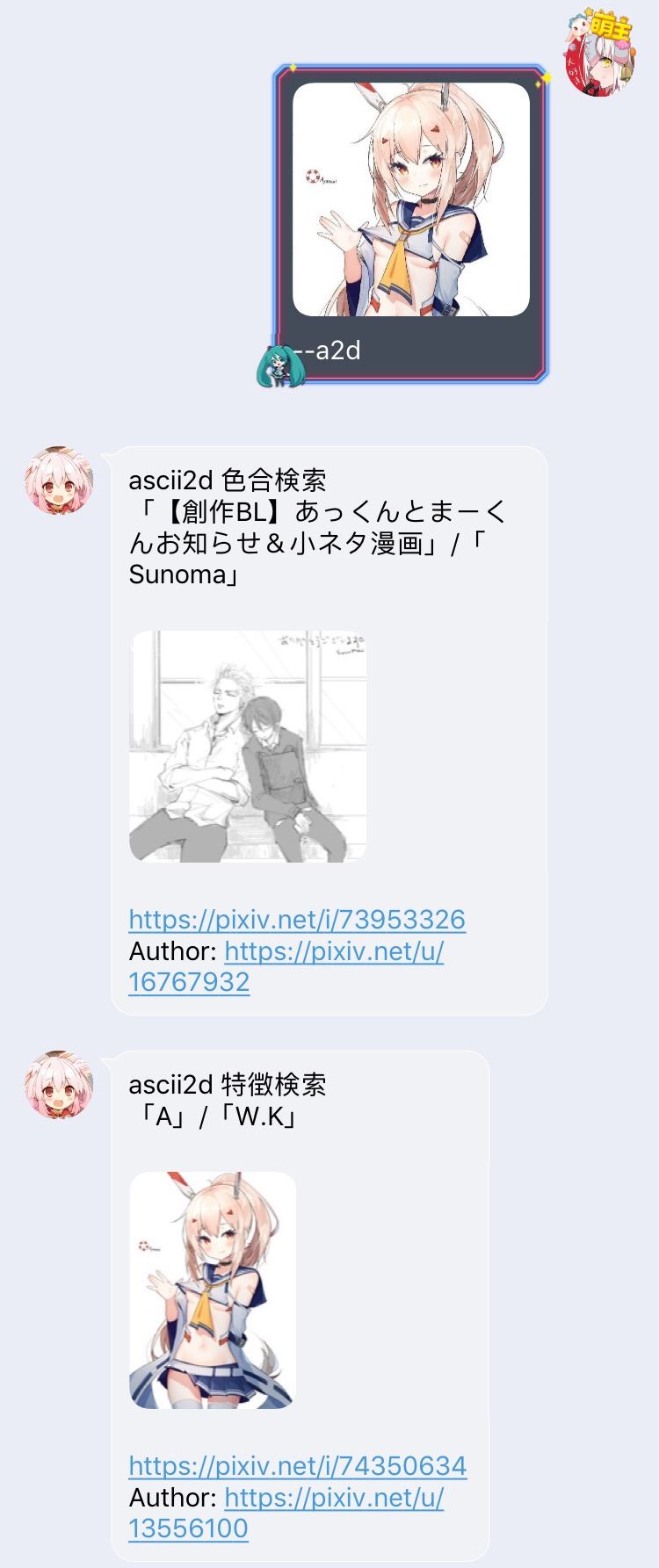
利用 ascii2d 搜索局部图
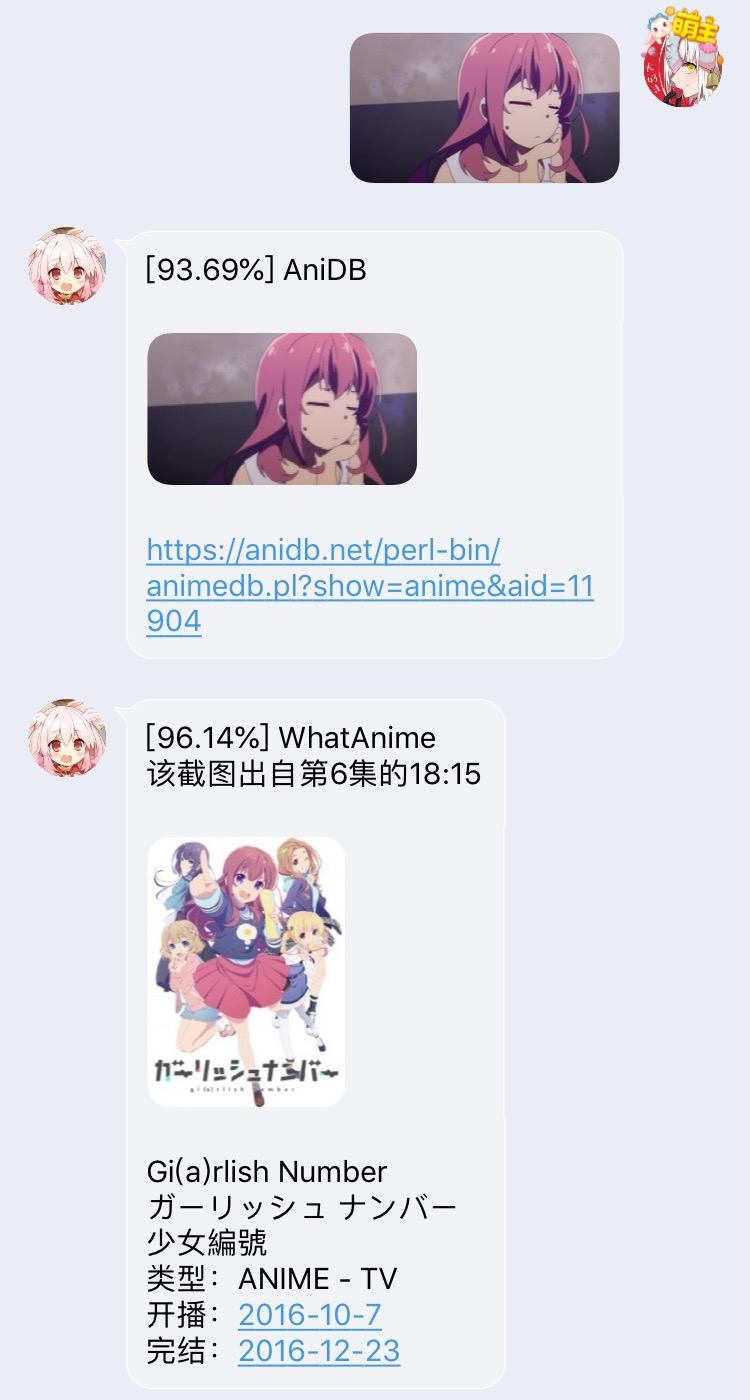
搜番
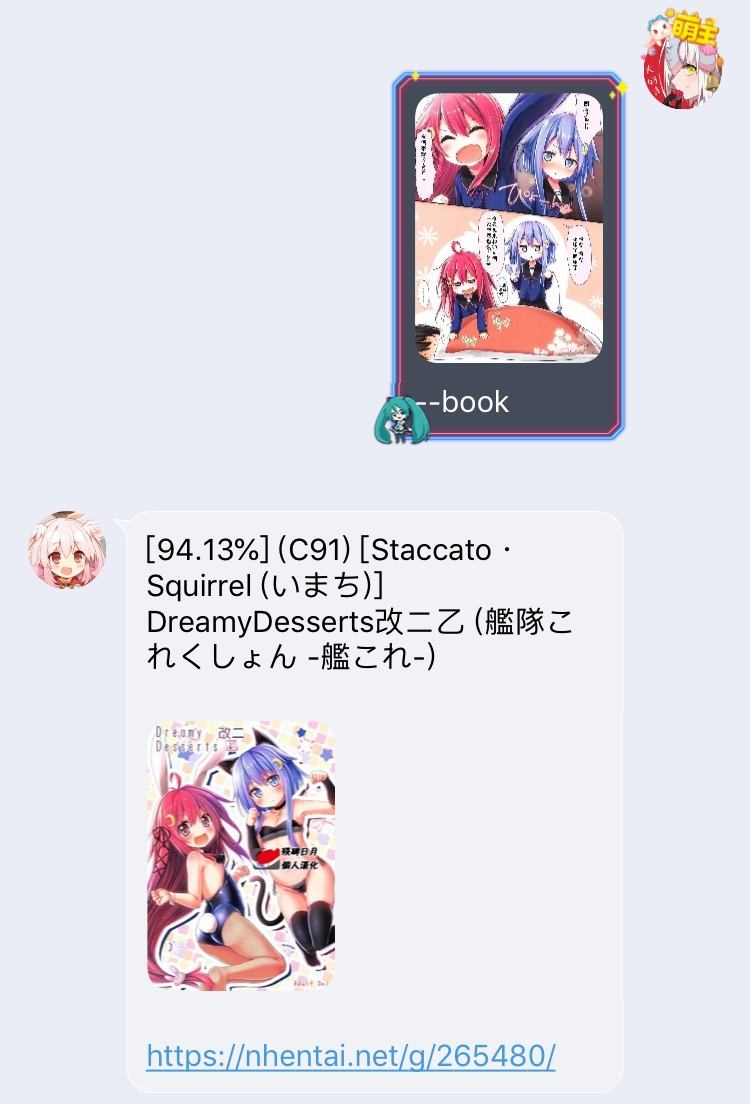
搜本子
搬瓦工VPS优惠套餐,建站稳如狗,支持支付宝,循环出账94折优惠码BWH3HYATVBJW
年付$47CN2线路,1核/1G内存/20G硬盘/1T@1Gbps【点击购买
季付$47CN2 GIA线路,1核/1G内存/20G硬盘/1T@2.5Gbps【点击购买
Last modification:July 21st, 2022 at 10:15 am
If you think my article is useful to you, please feel free to appreciate

Leave a Comment Cancel reply

670 comments

  1. KSHJ  Windows 10 x64 Edition(Windows 10 x64 Edition) / Google Chrome 84.0.4147.105(Google Chrome 84.0.4147.105)
    唔,mirai框架下用mirai-native+CQHTTP的话其他能用但是搜图完全没用了=。=
    MIRAI里日志大概像这样但是并没有回音啊
    06:48:52 [INFO] [BOT (BOTQQ)] [XX(群号)] XXXX(发送者QQ) -> [mirai:source:7412,1373333187][mirai:at:(BOTQQ),@BOT] [mirai:image:{3014C004-2BD5-E357-6014-F05C8E1A0F54}.mirai]
    06:48:52 [INFO] [MiraiNative] [CQHTTP WS] 已成功向 1/1 个 WebSocket 客户端推送事件
    另外小程序对抗似乎也不管用了(miraiOK好像是作为电脑登录的关系?)

    就是,mirai原生能用的CQHTTP-mirai一样不能用图片,就不太清楚是CQHTTP给插件返回了不对劲的内容还是Mirai-native本身就不能支持这个功能了(不过其他用app.dll+app.json直接加载的插件还是能正常认到图片的)
    文首有一句插件原本是酷Q SDK开发的,也不知道大佬有无意愿把编译好的app.dll和app.json放出来

    1. 神代綺凜  Windows 10 x64 Edition(Windows 10 x64 Edition) / Google Chrome 83.0.4103.61(Google Chrome 83.0.4103.61)
      @KSHJ 因为我收发图都用到了增强 CQ 码,估计是 mirai-native 加载 cq-http 并不支持这些

      我最早用酷Q SDK 开发的那都多少年前的事了,易语言源码早就被我删了,而且那时候只有最基本的搜图功能跟现在完全没法比

      1. KSHJ  Windows 10 x64 Edition(Windows 10 x64 Edition) / Google Chrome 84.0.4147.105(Google Chrome 84.0.4147.105)
        @神代綺凜 话说回来,会不会是mirai-native给CQHTTP推送的是mirai自己的类CQ码的报文所以大佬只要加一下对mirai码解码之类的支持这东西就可能完全复活了?
        1. 神代綺凜  Windows 10 x64 Edition(Windows 10 x64 Edition) / Google Chrome 83.0.4103.61(Google Chrome 83.0.4103.61)
          @KSHJ 已经复活了,目前用 go-cqhttp,几乎不需要做改动,迁移请看项目 wiki
      2. KSHJ  Windows 10 x64 Edition(Windows 10 x64 Edition) / Google Chrome 84.0.4147.105(Google Chrome 84.0.4147.105)
        @神代綺凜 发图一点问题都没= =
        不过还能用就已经很欣慰了
  2. Sagiri°  Android 10(Android 10) / Google Chrome 80.0.3987.99(Google Chrome 80.0.3987.99)
    大佬,酷q无了?
    https://awesomeopensource.com/project/IOTQQ/IOTQQ
    不知道这个框架可不可以移植,有兴趣你可以看看
    对了,还有个基于这个框架的插件https://github.com/njjjay/IOTQQPlugins_selfuse
  3. 傻女  Windows 10 x64 Edition(Windows 10 x64 Edition) / Google Chrome 70.0.3538.25(Google Chrome 70.0.3538.25)
    酷Q無了(╯‵□′)╯︵┴─┴
    1. 神代綺凜  Windows 10 x64 Edition(Windows 10 x64 Edition) / Google Chrome 83.0.4103.61(Google Chrome 83.0.4103.61)
      @傻女 等有空看看可以移植到哪吧……
      1. Asendenter  Windows 10 x64 Edition(Windows 10 x64 Edition) / Google Chrome 84.0.4147.105(Google Chrome 84.0.4147.105)
        @神代綺凜 大佬,mirai有没有得考虑
        1. 神代綺凜  Windows 10 x64 Edition(Windows 10 x64 Edition) / Google Chrome 83.0.4103.61(Google Chrome 83.0.4103.61)
          @Asendenter 有,找时间我会移植过去
          1. 飞龙project  Android 8.1.0(Android 8.1.0) / Google Chrome 84.0.4147.105(Google Chrome 84.0.4147.105)
            @神代綺凜 大佬好像隔壁mirai也凉了,GitHub库都存档了,现在能用的就找到了个IOTQQ
          2. 星空  Windows 10 x64 Edition(Windows 10 x64 Edition) / Google Chrome 83.0.4103.119(Google Chrome 83.0.4103.119)
            @神代綺凜 非常感谢
  4. 游困  Windows 10 x64 Edition(Windows 10 x64 Edition) / Firefox 61.0(Firefox 61.0)
    大佬你好,这边是零基础废物(笑),靠着百度+谷歌翻译+大佬注释成功搭好了机器人。
    但是现在出现一个问题,windows服务器在酷Q在使用了CoolQ HTTP API以及分身版,两个httpapi同时开启的时候,机器人会同时回复两次。
    请问是否需要在HTTP上修改这一栏ws_reverse_url并且同时在config上添加对应代码呢?找不到可以参考的代码暂时只能问大佬了。
    1. 游困  Windows 10 x64 Edition(Windows 10 x64 Edition) / Firefox 61.0(Firefox 61.0)
      @游困 我傻屌了,重启电脑就可以了
  5. 蓬莱山星辰  Android 9(Android 9) / IBrowse r(IBrowse r)
    现在setu功能是不是用不了了,天天服务器爆炸惹
    1. 蓬莱山星辰  Android 9(Android 9) / IBrowse r(IBrowse r)
      @蓬莱山星辰 pximgProxy已经设置了http://i.pixiv.cat/
      如果机子在国内还有什么解决方法吗
      1. 神代綺凜  Windows 10 x64 Edition(Windows 10 x64 Edition) / Google Chrome 83.0.4103.61(Google Chrome 83.0.4103.61)
        @蓬莱山星辰 有个设置项叫 proxy,不是 pximgProxy

        pximgProxy 只能解决 pixiv 图片访问问题,proxy 设置的是直接的代理,你这个情况是访问我的 API 需要挂代理

        1. 蓬莱山星辰  Android 9(Android 9) / IBrowse r(IBrowse r)
          @神代綺凜 那应该在那一栏填什么呢?感谢大佬这么晚回答我的问题
          1. 神代綺凜  Windows 10 x64 Edition(Windows 10 x64 Edition) / Google Chrome 83.0.4103.61(Google Chrome 83.0.4103.61)
            @蓬莱山星辰 看 GitHub 项目中的 Wiki
    2. 神代綺凜  Windows 10 x64 Edition(Windows 10 x64 Edition) / Google Chrome 83.0.4103.61(Google Chrome 83.0.4103.61)
      @蓬莱山星辰 你机器网络问题,自行设置 proxy
  6. yoooo梦  Windows 10 x64 Edition(Windows 10 x64 Edition) / uBrowser 6.2.4098.3(uBrowser 6.2.4098.3)
    大佬你好,我又遇到了一些问题,就是回复的内容,打竹竹搜图不是会进入倒搜图模式嘛,按道理应该会回复进入搜图模式的回复内容,但是机器人却回复了默认回复的回复内容,我把进入搜图模式的指令改成别的也不行,甚至改成数字1,也只会得到默认回复的内容,这是咋回事呢
    1. 神代綺凜  Windows 10 x64 Edition(Windows 10 x64 Edition) / Google Chrome 83.0.4103.61(Google Chrome 83.0.4103.61)
      @yoooo梦 搜图模式只在群内可用,并且发的时候不要 at
  7. 2fox  Windows 10 x64 Edition(Windows 10 x64 Edition) / Google Chrome 79.0.3945.79(Google Chrome 79.0.3945.79)
    |´・ω・)ノ大佬搜图功能有没有开关啊,私聊一发图就自动搜索了。。
    群聊里的所有@也都会被匹配到。。
    1. 2fox  Windows 10 x64 Edition(Windows 10 x64 Edition) / Google Chrome 79.0.3945.79(Google Chrome 79.0.3945.79)
      @2fox 哦哦找到了,注释掉就可以了,谢谢大佬的bot(๑•̀ㅁ•́ฅ)
  8. yoooo梦  Windows 10 x64 Edition(Windows 10 x64 Edition) / uBrowser 6.2.4098.3(uBrowser 6.2.4098.3)
    大佬想问一下,为什么我部署的机器人,搜图啥的只会发送结果和链接,setu也一样,只有链接没有图,但是我看大佬上边的截图都是可以发出来图片的,这是为什么呢
    1. 神代綺凜  Mac OS X 10.15.4(Mac OS X 10.15.4) / Google Chrome 81.0.4044.138(Google Chrome 81.0.4044.138)
      @yoooo梦 酷Q Air 不支持发图
      1. yoooo梦  Windows 10 x64 Edition(Windows 10 x64 Edition) / uBrowser 6.2.4098.3(uBrowser 6.2.4098.3)
        @神代綺凜 啊这,那我应该升级酷q pro 才能发出图来嘛
  9. conesui  Windows 10 x64 Edition(Windows 10 x64 Edition) / Google Chrome 81.0.4044.138(Google Chrome 81.0.4044.138)
    大佬你好,小弟只自学过很粗浅的C语言,太麻烦的东西不懂,所以只好来伸手问两个功能
    第一个功能是,机器人被拉进群,如果想关闭在群里的被@的以图搜图功能,需要更改哪个文件呢
    第二个功能是,在群里不需要被@,用其他的符号代替的话,需要更改哪个文件呢?
    谢谢了
    1. 2fox  Windows 10 x64 Edition(Windows 10 x64 Edition) / Google Chrome 79.0.3945.79(Google Chrome 79.0.3945.79)
      @conesui 关闭@的话在main.js里注释掉监听就好了|´・ω・)ノ
  10. mk  Windows 10 x64 Edition(Windows 10 x64 Edition) / Google Chrome 83.0.4103.56(Google Chrome 83.0.4103.56)
    该评论仅登录用户及评论双方可见
    1. mk  Windows 10 x64 Edition(Windows 10 x64 Edition) / Google Chrome 83.0.4103.56(Google Chrome 83.0.4103.56)
      @mk 是在win下运行的npm start
  11. LYM  Windows 10 x64 Edition(Windows 10 x64 Edition) / Google Chrome 81.0.4044.138(Google Chrome 81.0.4044.138)
    看到大佬的TG瑟图机器人。。。。界面好强QWQ
    1. bearcloney  Windows 10 x64 Edition(Windows 10 x64 Edition) / Google Chrome 80.0.3987.149(Google Chrome 80.0.3987.149)
      @LYM 我可以问一下tg涩图机器人的名字吗
  12. LYM  Windows 10 x64 Edition(Windows 10 x64 Edition) / Google Chrome 81.0.4044.138(Google Chrome 81.0.4044.138)
    面对bil ibili小程序分享的表现我给满分,虽然现在好像可以电脑直接打开了。。
  13. Pyrokine  Windows 10 x64 Edition(Windows 10 x64 Edition) / Sogou Explorer(Sogou Explorer)
    想问下在服务器上ping i.pixiv.cat和i.pixiv.re都显示Name or service not known该怎么办呢
    1. 神代綺凜  Windows 10 x64 Edition(Windows 10 x64 Edition) / Google Chrome 81.0.4044.113(Google Chrome 81.0.4044.113)
      @Pyrokine 可能是站点所有者在维护或者是不再提供服务了吧,你可以用回默认的本地反代模式
      1. Pyrokine  Windows 10 x64 Edition(Windows 10 x64 Edition) / Sogou Explorer(Sogou Explorer)
        @神代綺凜 改了下服务器的hosts就可以了
  14. Summer  Windows 10 x64 Edition(Windows 10 x64 Edition) / Google Chrome 80.0.3987.163(Google Chrome 80.0.3987.163)
    该评论仅登录用户及评论双方可见
    1. 神代綺凜  Windows 10 x64 Edition(Windows 10 x64 Edition) / Google Chrome 81.0.4044.113(Google Chrome 81.0.4044.113)
      @Summer
      该评论仅登录用户及评论双方可见
      1. Summer  Windows 10 x64 Edition(Windows 10 x64 Edition) / Google Chrome 80.0.3987.163(Google Chrome 80.0.3987.163)
        @神代綺凜 用反代解决了。在用代理的时候可以搜到结果但图片不显示
        1. 神代綺凜  Windows 10 x64 Edition(Windows 10 x64 Edition) / Google Chrome 81.0.4044.113(Google Chrome 81.0.4044.113)
          @Summer 嗯……发图我直接用的 cqhttp 的能力,所以没走设置的代理
  15. LonginusL33T  Windows 10 x64 Edition(Windows 10 x64 Edition) / Google Chrome 81.0.4044.129(Google Chrome 81.0.4044.129)
    大佬。我在前段时间还能正常使用,大概是在4月初的时候。这之后不知道是不是因为酷Q更新还是什么原因。突然就出问题了。我换了几个VPS来部署,基本能排除接口,系统的问题。具体问题是第一次登录QQ账号生成的特定CoolQ HTTP API配置文件,路径为app/io.github.richardchien.coolqhttpapi/config这个的,每次换QQ号登录时不是要该use_ws的值为TRUE吗。但是在app路径下没有这个文件夹了。忽略他直到部署完成,酷Q自身的功能都可以在QQ使用,但是pm2log日志里总是连接失败。
    1. 神代綺凜  Windows 10 x64 Edition(Windows 10 x64 Edition) / Google Chrome 81.0.4044.113(Google Chrome 81.0.4044.113)
      @LonginusL33T 自己看 cqhttp 的文档,新版的配置文件路径应该是改到data/app/io.github.richardchien.coolqhttpapi/config
      1. LonginusL33T  Windows 10 x64 Edition(Windows 10 x64 Edition) / Google Chrome 81.0.4044.129(Google Chrome 81.0.4044.129)
        @神代綺凜 谢谢大佬,我看成旧的文档了.......
  16. omoi  Windows 10 x64 Edition(Windows 10 x64 Edition) / Google Chrome 81.0.4044.129(Google Chrome 81.0.4044.129)
    dalao我又来了...请问该怎么移除相关的所有东西呢?我后来装好了然后自己作死玩坏了_(:з)∠)_
    然后现在想要从头重新弄,要怎么做呢?

    下面是玩坏的cmd

    E:\CQ-picfinder-robot> npm start
    
    > cq-picfinder-robot@2.12.2 start E:\CQ-picfinder-robot
    > node index.js
    
    file:///E:/CQ-picfinder-robot/main.js:1
    SyntaxError: E:\CQ-picfinder-robot\config.json: Unexpected string in JSON at position 3180
        at parse (<anonymous>)
        at Object.Module._extensions..json (internal/modules/cjs/loader.js:1192:22)
    npm ERR! code ELIFECYCLE
    npm ERR! errno 1
    npm ERR! cq-picfinder-robot@2.12.2 start: `node index.js`
    npm ERR! Exit status 1
    npm ERR!
    npm ERR! Failed at the cq-picfinder-robot@2.12.2 start script.
    npm ERR! This is probably not a problem with npm. There is likely additional logging output above.
    
    npm ERR! A complete log of this run can be found in:
    npm ERR!     C:\Users\Administrator\AppData\Roaming\npm-cache\_logs\2020-05-02T08_09_08_357Z-debug.log
    1. 神代綺凜  Windows 10 x64 Edition(Windows 10 x64 Edition) / Google Chrome 81.0.4044.113(Google Chrome 81.0.4044.113)
      @omoi Wiki 写了,这种错误请按 JSON 规范检查config.json,搜一下有很多在线检查工具
      1. omoi  Windows 10 x64 Edition(Windows 10 x64 Edition) / Google Chrome 84.0.4133.0(Google Chrome 84.0.4133.0)
        @神代綺凜 感谢!ヾ(≧∇≦*)ゝ经检查少写了一个, 自己来提问前找了半天问题
  17. LYM  Windows 10 x64 Edition(Windows 10 x64 Edition) / Google Chrome 80.0.3987.149(Google Chrome 80.0.3987.149)
    emmmm被举报冻结了。。。但是绑定的qq安全中心好像并没有什么用?Qwq并不能解封?
    1. 神代綺凜  Windows 10 x64 Edition(Windows 10 x64 Edition) / Google Chrome 80.0.3987.149(Google Chrome 80.0.3987.149)
      @LYM 被举报封没法解,你看清楚,我 wiki 说的冻结是指系统检测到你 ghs 把你冻结而不是被人举报
      1. LYM  Windows 10 x64 Edition(Windows 10 x64 Edition) / Google Chrome 80.0.3987.149(Google Chrome 80.0.3987.149)
        @神代綺凜 噢这样啊qwq。。太难了。。。。我以为是分别的,,
        看来还是自己用用就好emmmm
  18. omoi  Windows 10 x64 Edition(Windows 10 x64 Edition) / Google Chrome 82.0.4083.0(Google Chrome 82.0.4083.0)
    该评论仅登录用户及评论双方可见
    1. 神代綺凜  Windows 10 x64 Edition(Windows 10 x64 Edition) / Google Chrome 80.0.3987.149(Google Chrome 80.0.3987.149)
      @omoi
      该评论仅登录用户及评论双方可见
      1. omoi  Windows 10 x64 Edition(Windows 10 x64 Edition) / Google Chrome 82.0.4085.0(Google Chrome 82.0.4085.0)
        @神代綺凜 是我蠢了,重装了几遍服务器忘了这步了,可是复制了还是有错误

        C:\Users\Administrator\CQ-picfinder-robot>npm start
        
        > cq-picfinder-robot@2.11.10 start C:\Users\Administrator\CQ-picfinder-robot
        > node index.js
        
        C:\Users\Administrator\CQ-picfinder-robot\node_modules\canvas\lib\bindings.js:1
        Error: Cannot find module '../build/Release/canvas.node'
            at Object.<anonymous> (C:\Users\Administrator\CQ-picfinder-robot\node_modules\canvas\lib\bindings.js:3:18)
            at Generator.next (<anonymous>) {
          code: 'MODULE_NOT_FOUND'
        }
        npm ERR! code ELIFECYCLE
        npm ERR! errno 1
        npm ERR! cq-picfinder-robot@2.11.10 start: `node index.js`
        npm ERR! Exit status 1
        npm ERR!
        npm ERR! Failed at the cq-picfinder-robot@2.11.10 start script.
        npm ERR! This is probably not a problem with npm. There is likely additional logging output above.
        
        npm ERR! A complete log of this run can be found in:
        npm ERR!     C:\Users\Administrator\AppData\Roaming\npm-cache\_logs\2020-03-24T11_30_34_125Z-debug.log
        1. 神代綺凜  Mac OS X(Mac OS X) / Safari(Safari)
          @omoi 参考 wiki 用 yarn 安装依赖

          以及如果 fallback to build 出错部分

          1. omoi  Windows 10 x64 Edition(Windows 10 x64 Edition) / Google Chrome 82.0.4085.0(Google Chrome 82.0.4085.0)
            @神代綺凜 有提示fallback to build,可是使用npm i -g windows-build-tools提示说vs build tools和python均已安装
            1. 神代綺凜  Windows 10 x64 Edition(Windows 10 x64 Edition) / Google Chrome 80.0.3987.149(Google Chrome 80.0.3987.149)
              @omoi 出错才要装,没出错说明没事,那你尝试手动npm i canvas -f
              1. omoi  Windows 10 x64 Edition(Windows 10 x64 Edition) / Google Chrome 82.0.4085.0(Google Chrome 82.0.4085.0)
                @神代綺凜 _

                C:\Users\Administrator\CQ-picfinder-robot>npm i canvas -f
                npm WARN using --force I sure hope you know what you are doing.
                
                > websocket@1.0.31 install C:\Users\Administrator\CQ-picfinder-robot\node_modules\websocket
                > (node-gyp rebuild 2> builderror.log) || (exit 0)
                
                C:\Users\Administrator\CQ-picfinder-robot\node_modules\websocket>if not defined npm_config_node_gyp (node "C:\Program Files\nodejs\node_modules\npm\node_modules\npm-lifecycle\node-gyp-bin\\..\..\node_modules\node-gyp\bin\node-gyp.js" rebuild )  else (node "C:\Program Files\nodejs\node_modules\npm\node_modules\node-gyp\bin\node-gyp.js" rebuild )
                在此解决方案中一次生成一个项目。若要启用并行生成,请添加“/m”开关。
                  bufferutil.cc
                  win_delay_load_hook.cc
                  正在生成代码...
                    正在创建库 C:\Users\Administrator\CQ-picfinder-robot\node_modules\websocket\build\Release\bufferutil.lib 和对象 C:\Users\Ad
                  ministrator\CQ-picfinder-robot\node_modules\websocket\build\Release\bufferutil.exp
                  bufferutil.vcxproj -> C:\Users\Administrator\CQ-picfinder-robot\node_modules\websocket\build\Release\\bufferutil.node
                  validation.cc
                  win_delay_load_hook.cc
                  正在生成代码...
                    正在创建库 C:\Users\Administrator\CQ-picfinder-robot\node_modules\websocket\build\Release\validation.lib 和对象 C:\Users\Ad
                  ministrator\CQ-picfinder-robot\node_modules\websocket\build\Release\validation.exp
                  validation.vcxproj -> C:\Users\Administrator\CQ-picfinder-robot\node_modules\websocket\build\Release\\validation.node
                
                > sqlite3@4.1.1 install C:\Users\Administrator\CQ-picfinder-robot\node_modules\sqlite3
                > node-pre-gyp install --fallback-to-build
                
                node-pre-gyp WARN Using request for node-pre-gyp https download

                这样,然后他不动了_(:з」∠)_

                1. omoi  Windows 10 x64 Edition(Windows 10 x64 Edition) / Google Chrome 82.0.4085.0(Google Chrome 82.0.4085.0)
                  @omoi 阿抱歉,他动了。很多ERR
          2. omoi  Windows 10 x64 Edition(Windows 10 x64 Edition) / Google Chrome 82.0.4085.0(Google Chrome 82.0.4085.0)
            @神代綺凜 尝试过了 怀疑如果能用nodejs自带的Install Additional Tools for Node.js.bat可能能解决问题,但是chocolatey貌似不提供安装程序,通过powershell 又无法下载
  19. 三千院暗  Windows 10 x64 Edition(Windows 10 x64 Edition) / Google Chrome 80.0.3987.132(Google Chrome 80.0.3987.132)
    setu api有限制了,我的青春结束了
    1. LYM  Windows 10 x64 Edition(Windows 10 x64 Edition) / Google Chrome 80.0.3987.149(Google Chrome 80.0.3987.149)
      @三千院暗 哈哈我的机器人配额也是每天都被憨憨群友用完
    2. 神代綺凜  Windows 10 x64 Edition(Windows 10 x64 Edition) / Google Chrome 80.0.3987.132(Google Chrome 80.0.3987.132)
      @三千院暗 不限制那些憨批天天 dd 我一天七八十万次请求
      正好限制了还可以少看 setu 多读书
      1. 三千院暗  Windows 10 x64 Edition(Windows 10 x64 Edition) / Google Chrome 80.0.3987.132(Google Chrome 80.0.3987.132)
        @神代綺凜 可以py一波吗(
  20. 蹦跶  Windows 10 x64 Edition(Windows 10 x64 Edition) / Google Chrome 80.0.3987.132(Google Chrome 80.0.3987.132)
    首先感谢麒麟dalao
    我的群友表示他们都好了

    但是有两个两个问题:
    • setu图片回复非常慢
      bot部署的服务服务端 服务器位于东京
      CQ挂机的服务器在国内,没反代之前setu功能不会发图有网址
      在反代后能发图了,不过图片发的非常慢(2-5min后才发),网址即刻回复的,能问下是啥原因么?因为开了反和谐?
      • 开启了反和谐功能
      • 反代用的是示例中的那个Pixiv.cat
      • 其他诸如搜图功能正常并且回复迅速
      • size1200已启用并发图片过大的问题
      • 日志中并没有屏蔽,只是发的很慢,偶尔会很长时间后发送失败 报错-11
    • 提醒时间功能好像有问题
      发送如下指令时会提示 提醒间隔需大于 5 分钟
      --rmd=测试 --time=30;11;*;*;*
      但是我在相关网站上测试该cron表达式并没有问题,的确是每天
      而后修改成
      --rmd=测试 --time=30/x;11;*;*;*(x>=5)
      这样就能运行
    1. LYM  Windows 10 x64 Edition(Windows 10 x64 Edition) / Google Chrome 81.0.4044.138(Google Chrome 81.0.4044.138)
      @蹦跶 啊。。我也想分两台机器emmmmmm
    2. 神代綺凜  Mac OS X 10.15.3(Mac OS X 10.15.3) / Google Chrome 80.0.3987.132(Google Chrome 80.0.3987.132)
      @蹦跶 刚刚把评论的 md 修了,现在可以正常列表了(

      1、学生机小水管 + China Network 救不了呀,建议是 bot 和酷Q同机器并且是国外机;搜图得到的缩略图很小只有十几 KB 所以影响不大
      2、这个问题刚刚修复了,更新新版本后试试